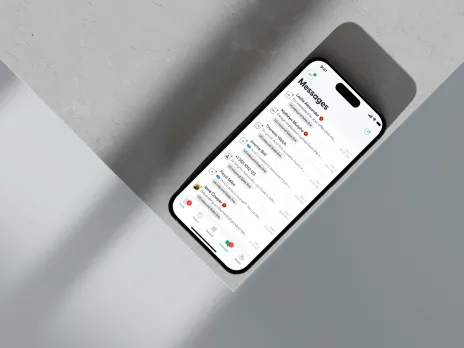
Aircall Call Campaigns
[05]
Aircall's Call Campaigns feature was built for sales agents using the Power Dialer — but admins had zero visibility or control over campaigns running at scale. I led the end-to-end design of an admin-facing campaign management experience, partnering closely with engineering and data teams to make outreach manageable, not just possible.
What was broken and why it mattered.
Data signals
What user interviews revealed
Admins called campaign oversight "a blind spot" — no live status, no governance over agent-run CSV imports, no way to align outreach with business priorities.
The question that framed the work.
How might we give admins visibility and control over campaigns — while keeping setup simple and efficient for agents?
Setting up a campaign
Title, team or user assignment, a contact list via manual entry or CSV import, campaign tags, and configurable call-attempt limits before a prospect is automatically removed from the list.
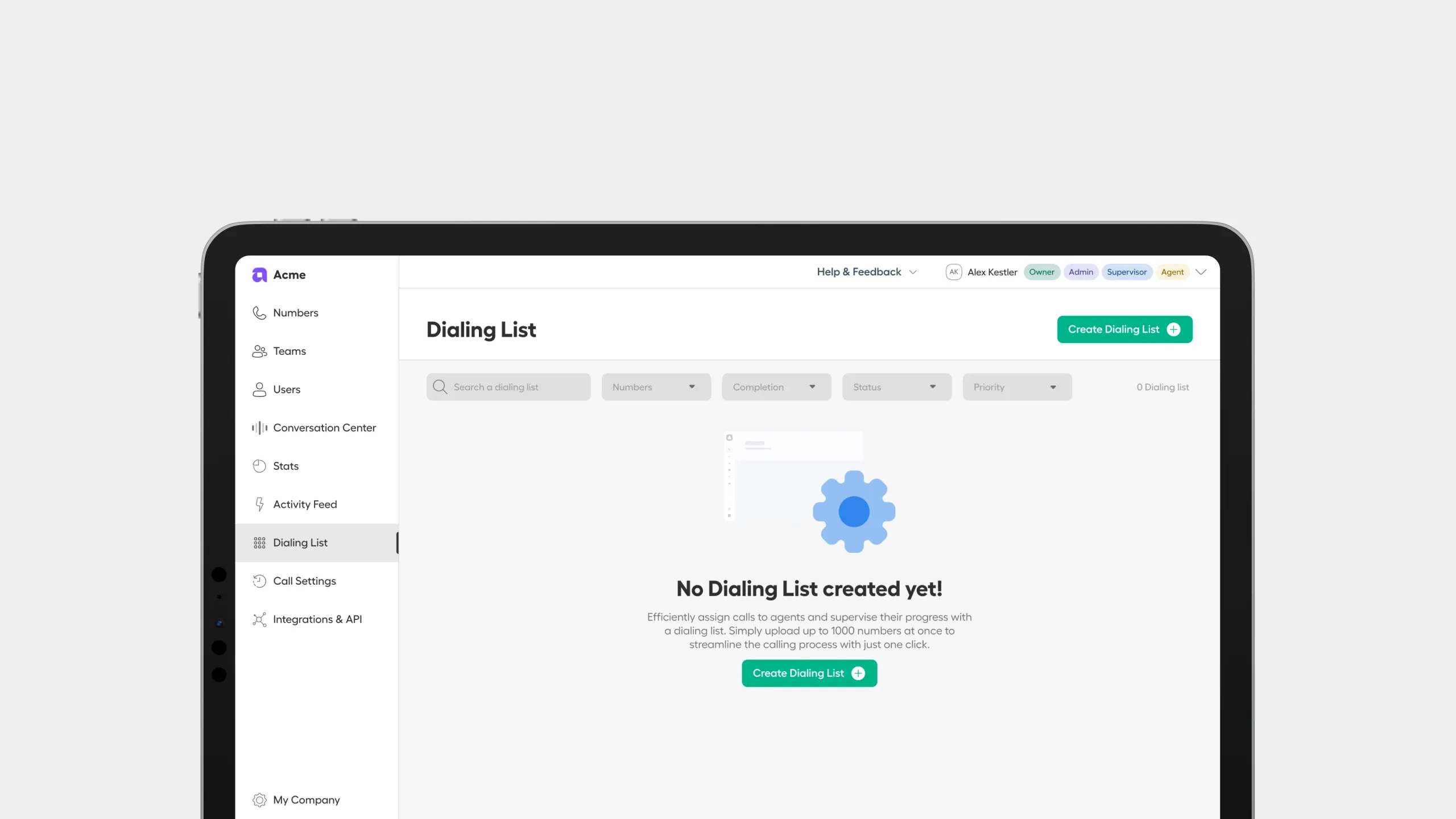 Empty state
 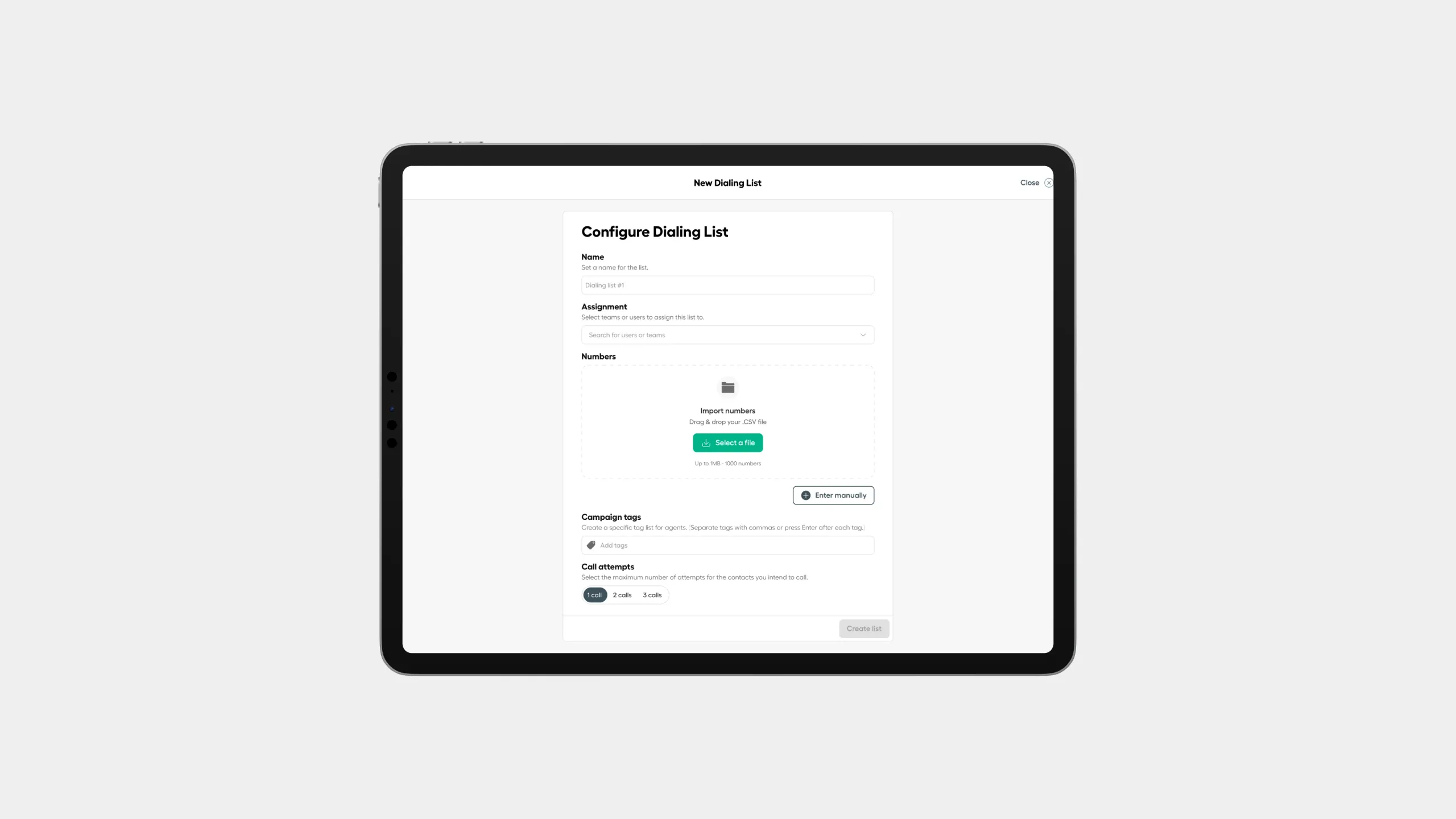 Title
Title 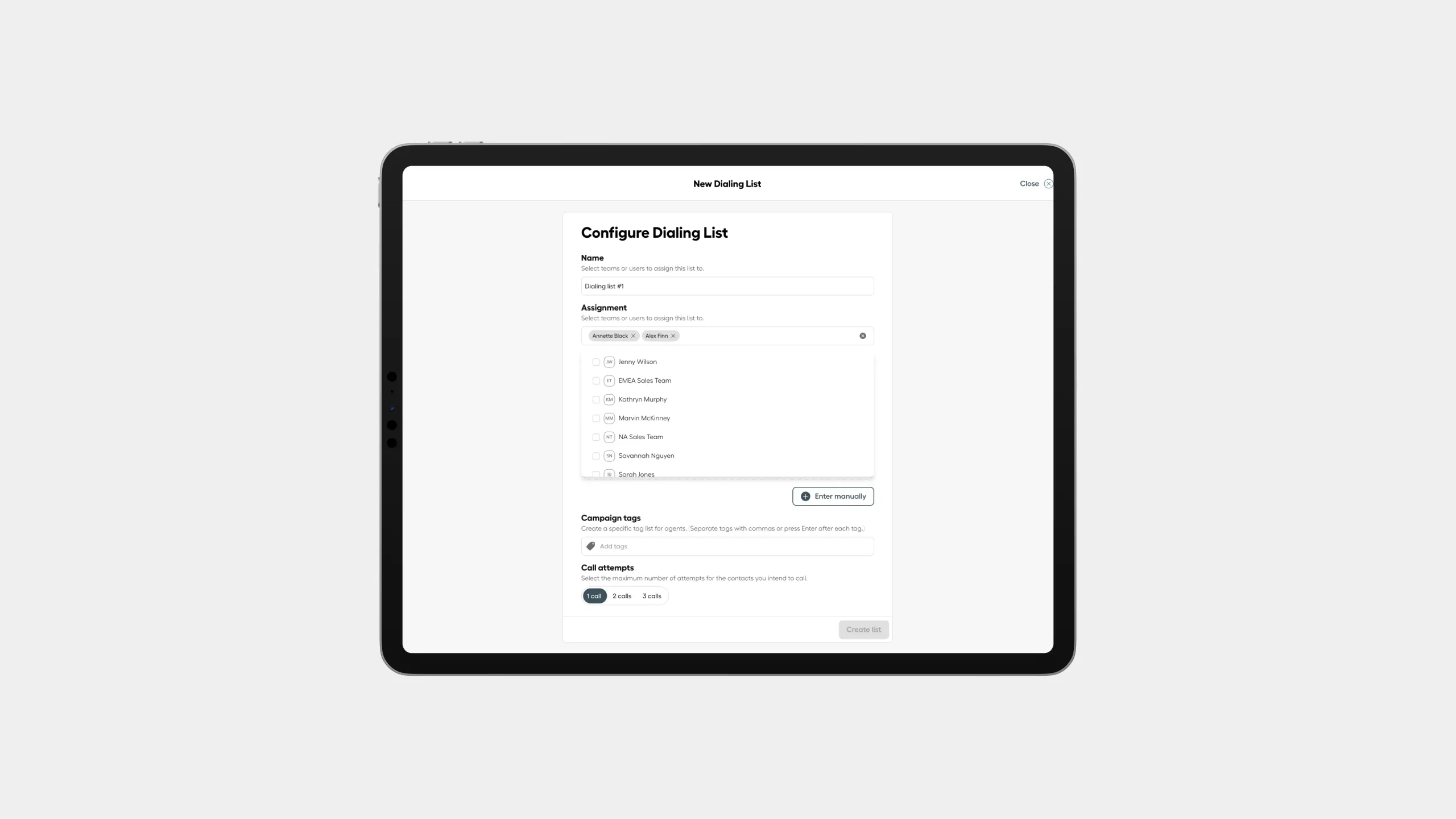 Assigning users
 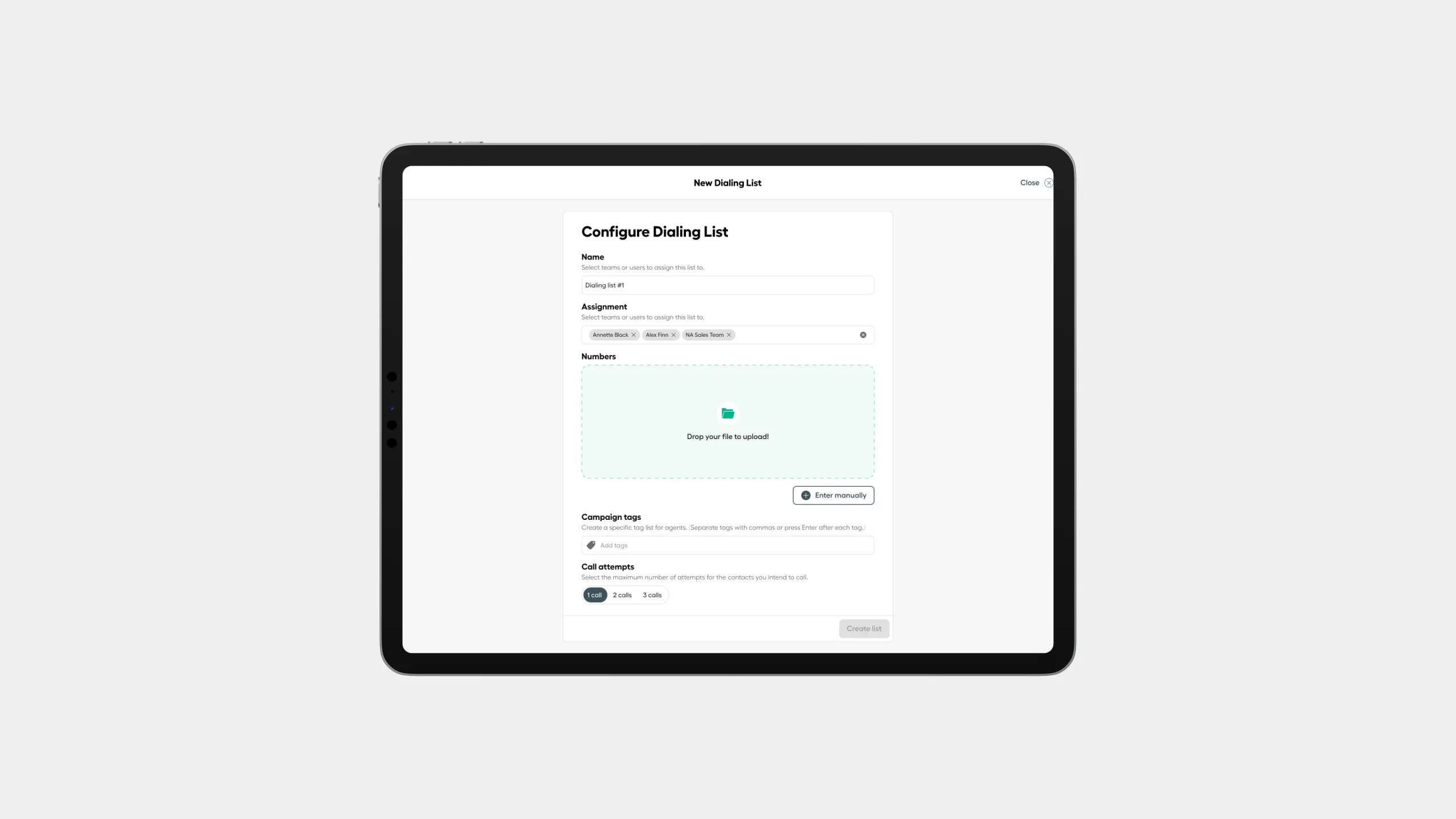 CSV Upload
 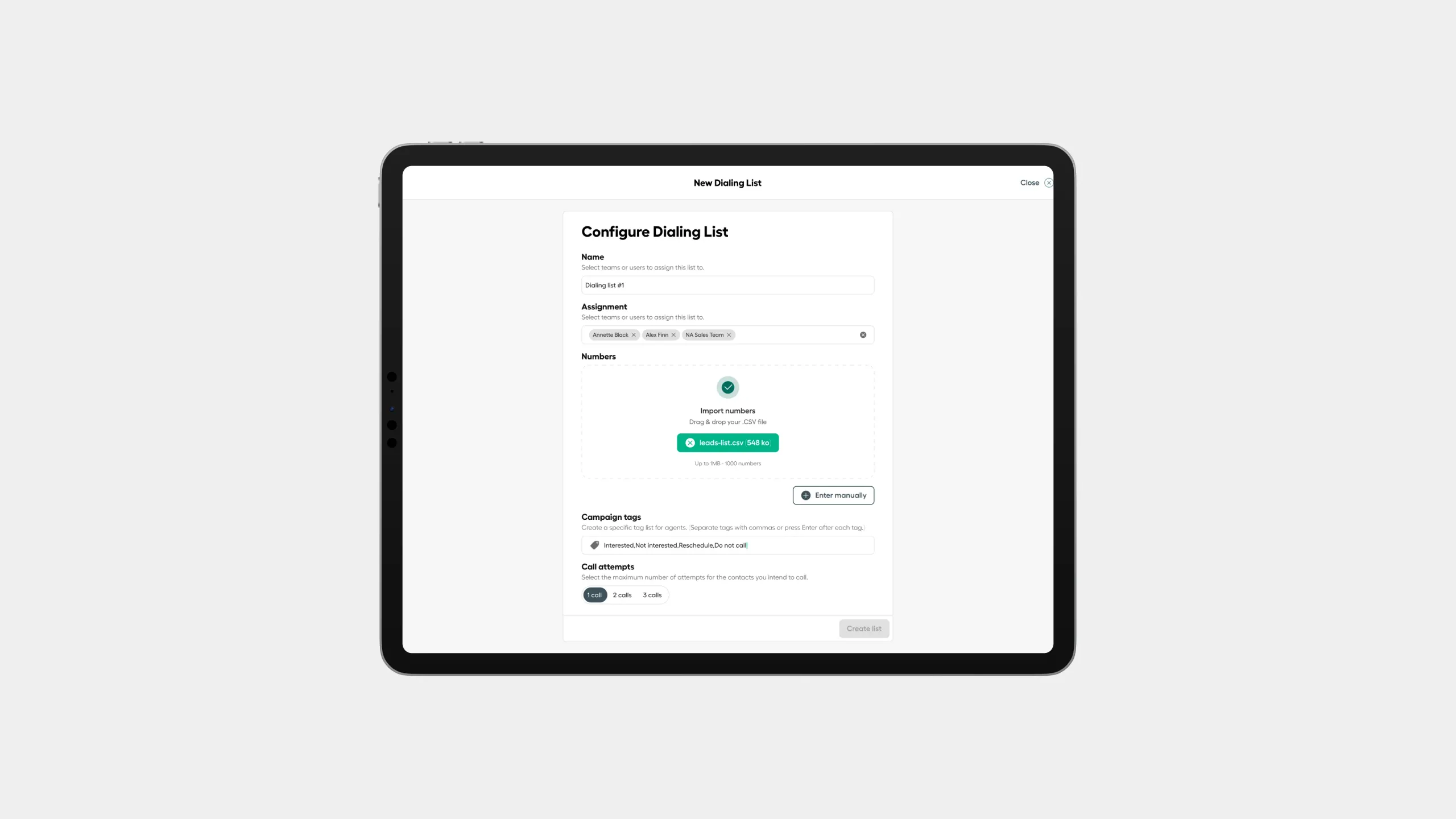 Tags typing
 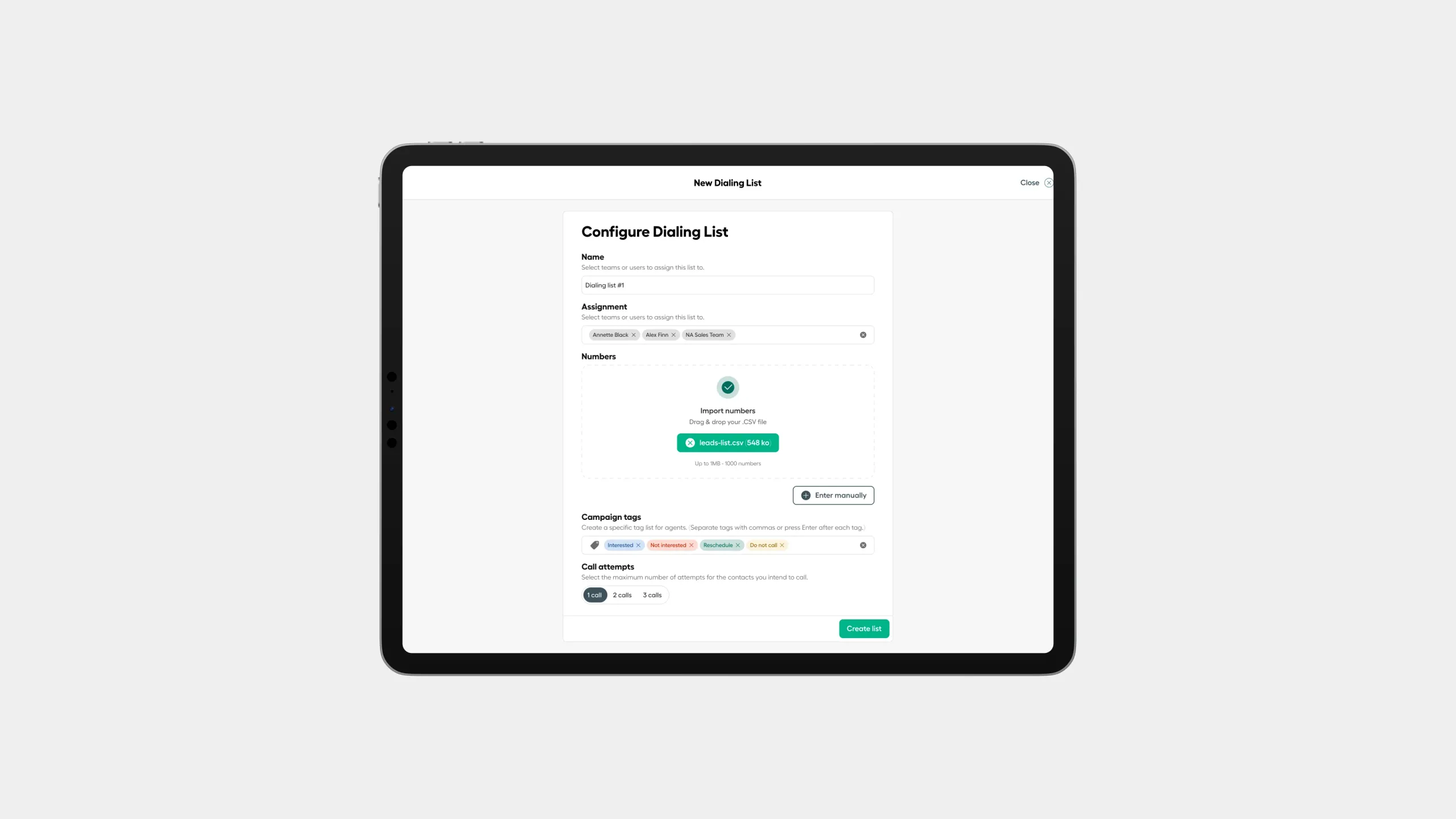 Tags set up
 Monitoring a live campaign
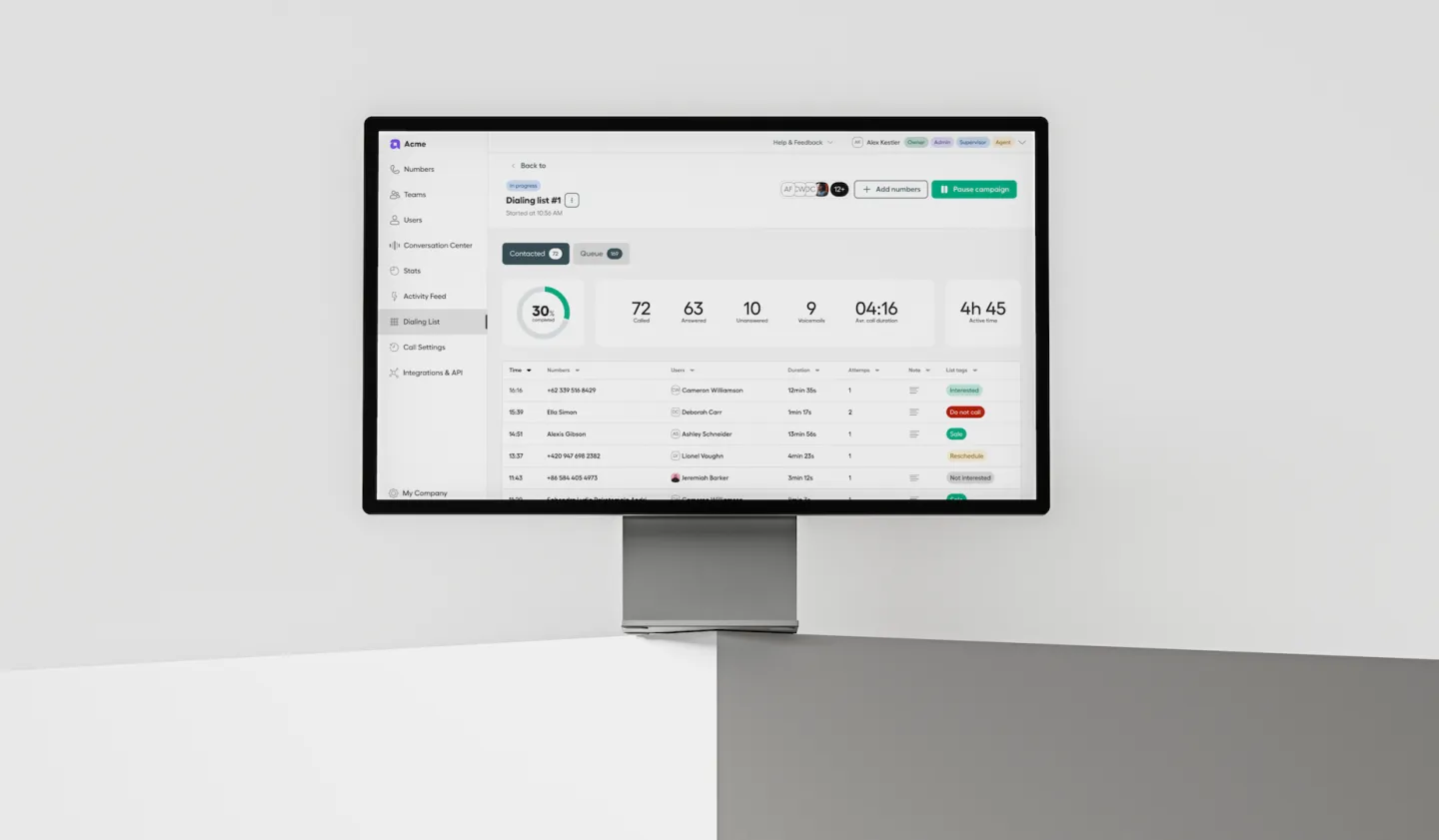
Real-time completion %, calls made/answered/unanswered, voicemails left, average call duration, and active time, alongside a full contact-level breakdown — number, agent, duration, attempt count, notes, tags. Admins can pause or edit a campaign at any time.
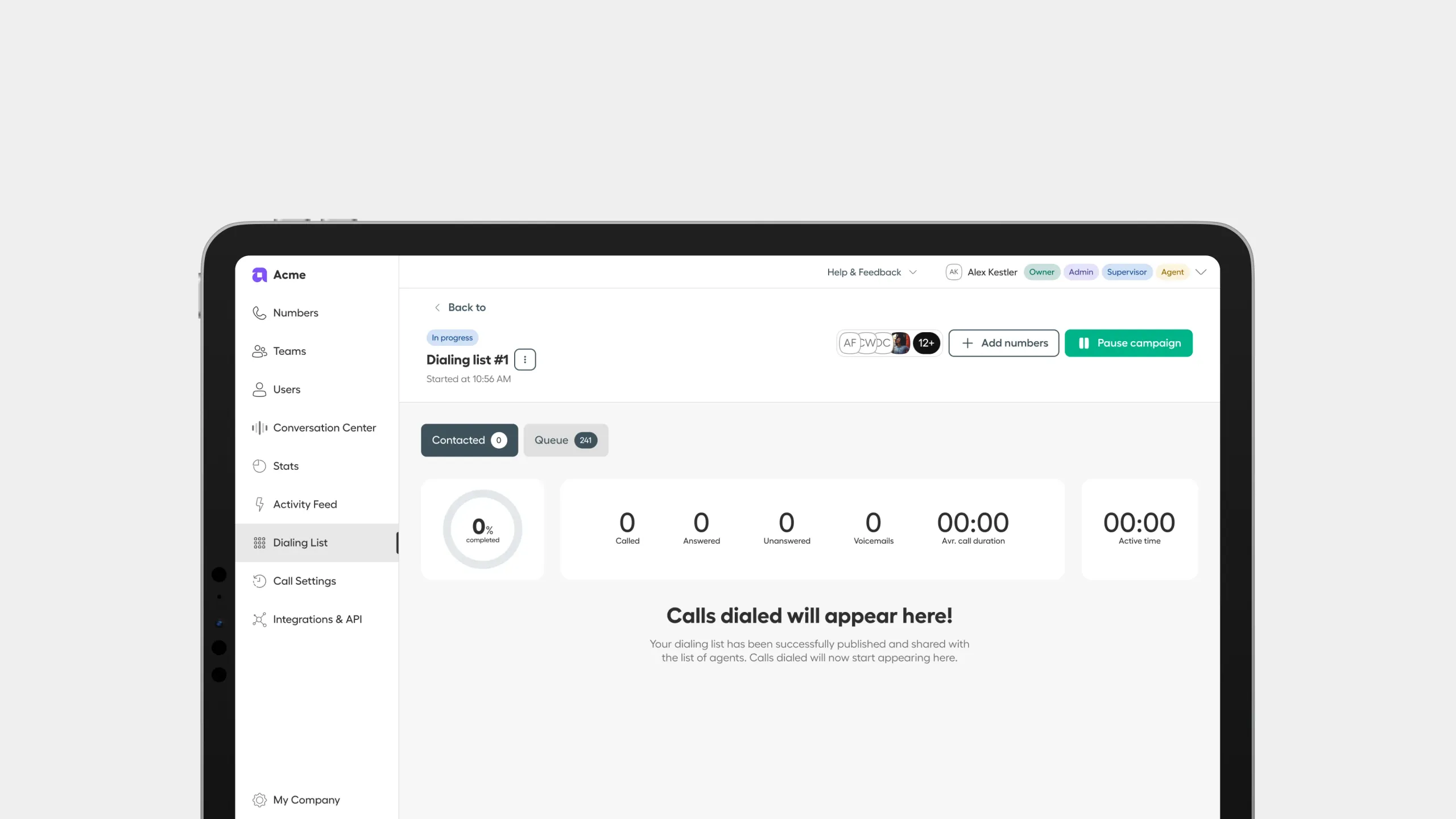 Campaign published
 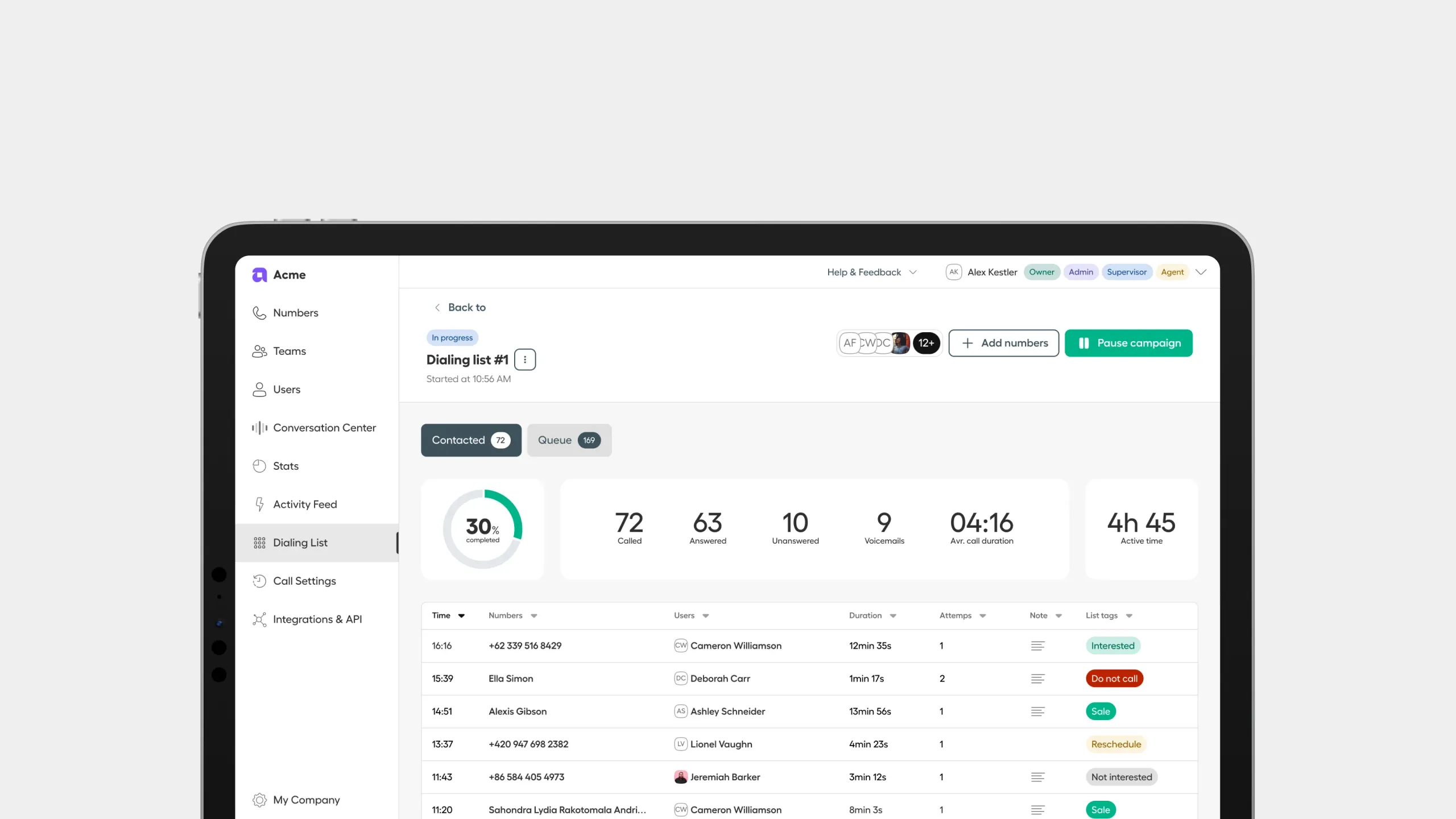 Campaign in progress
 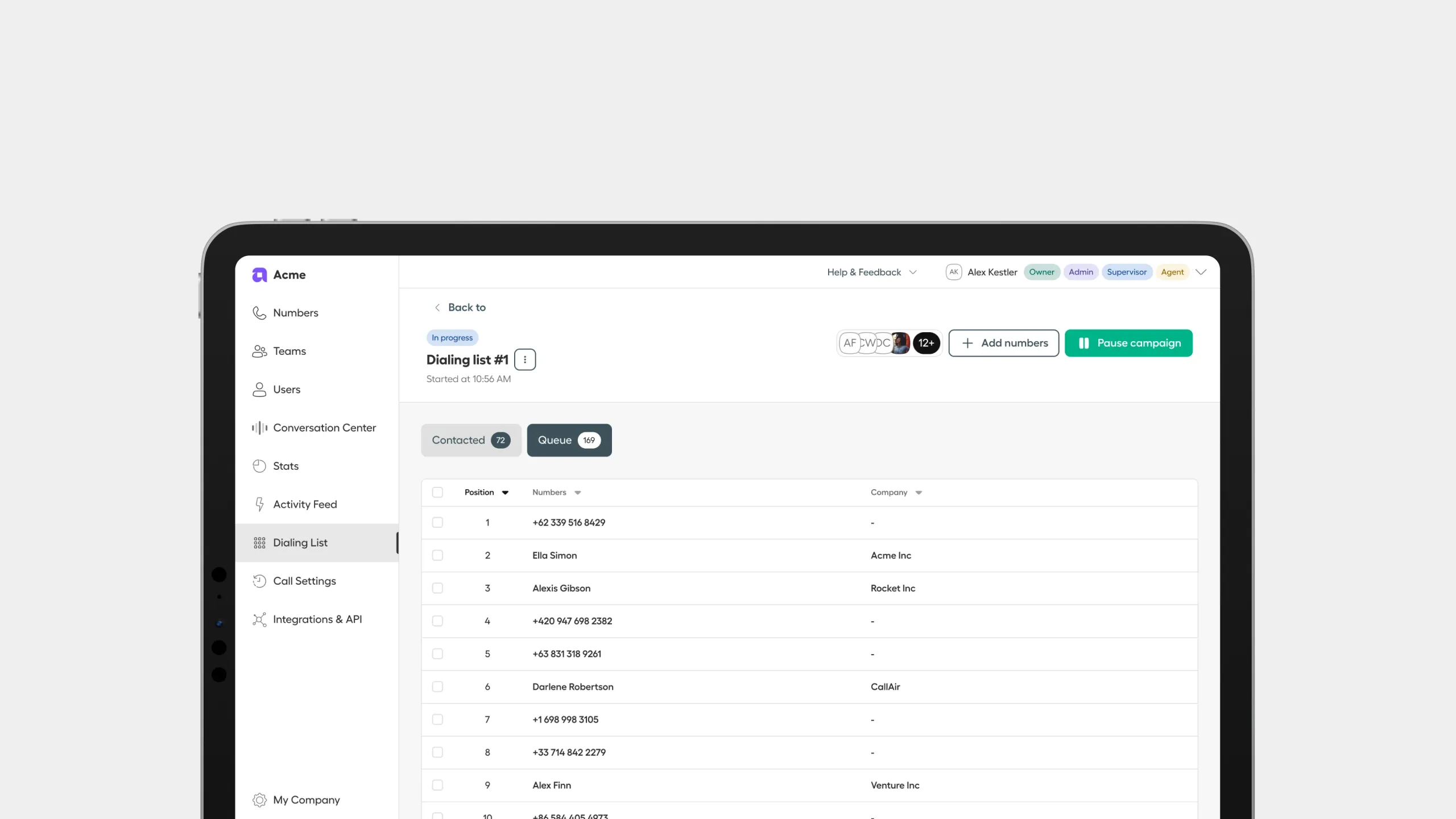 Campaign queue
 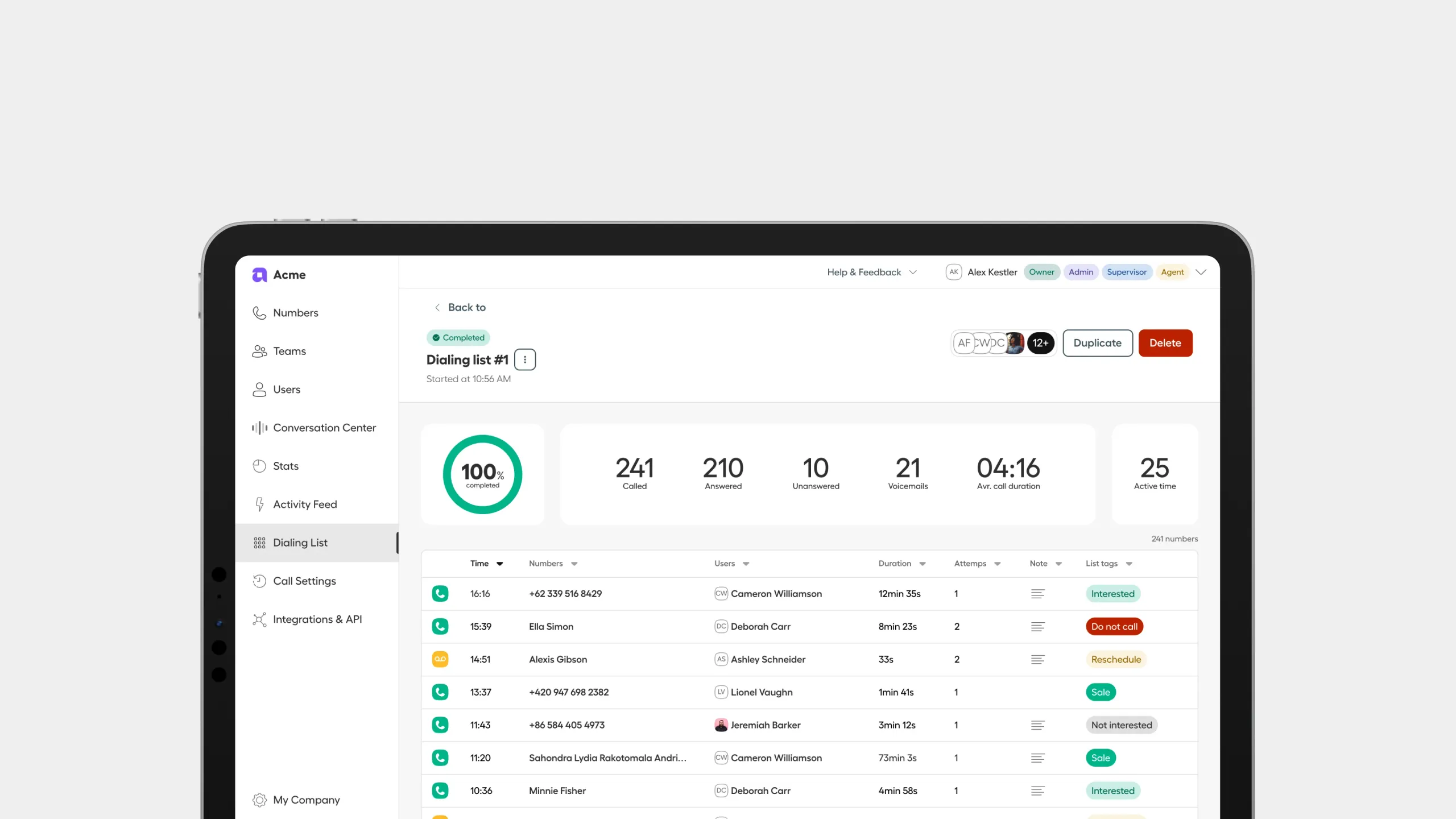 Campaign completed
 Reviewing calls
An AI-generated summary, key topics discussed, and talk ratio for every call, paired with the full transcript and any notes or tags the agent added — turning raw call logs into something a manager can actually review.
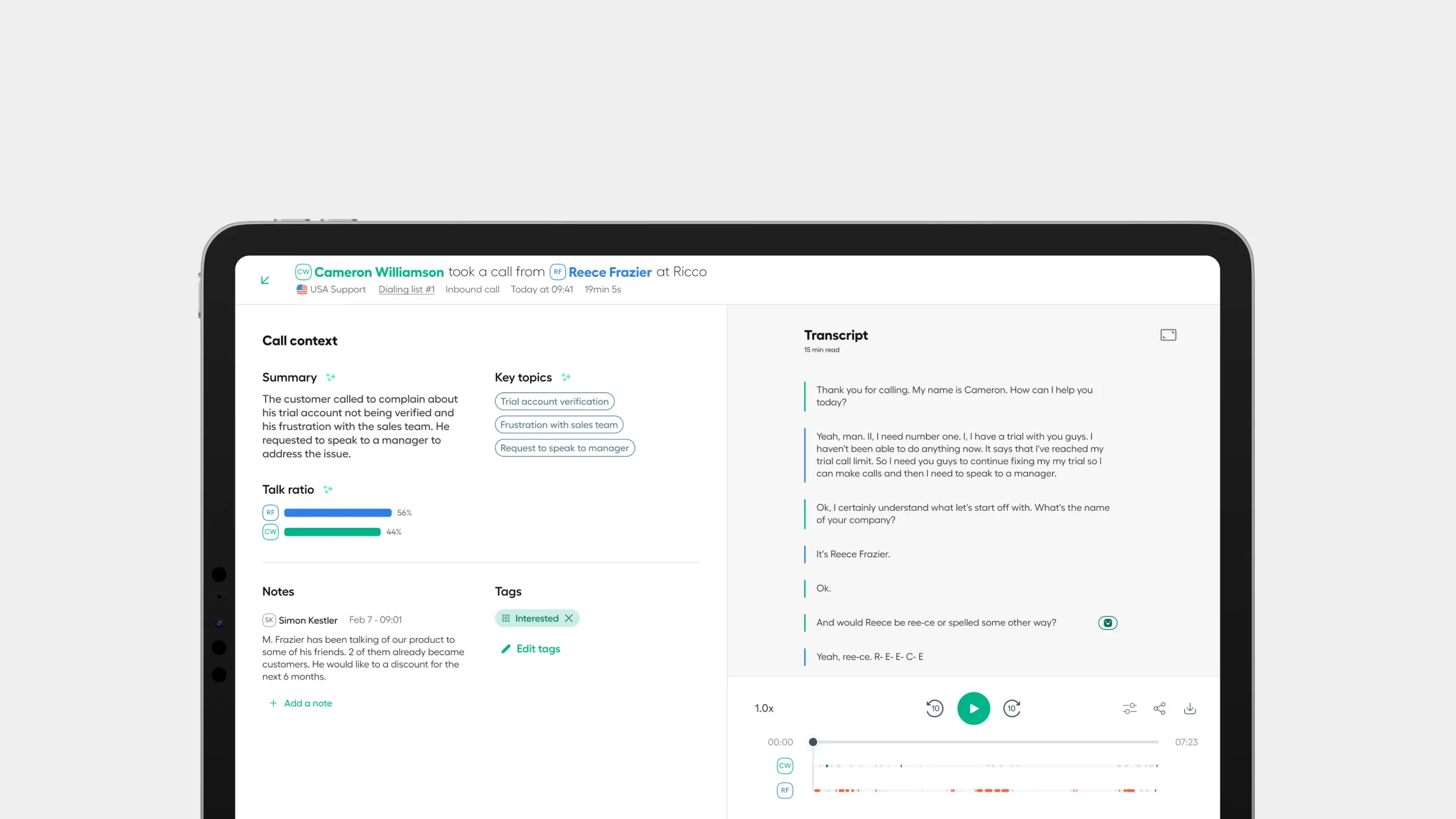 Conversation review
 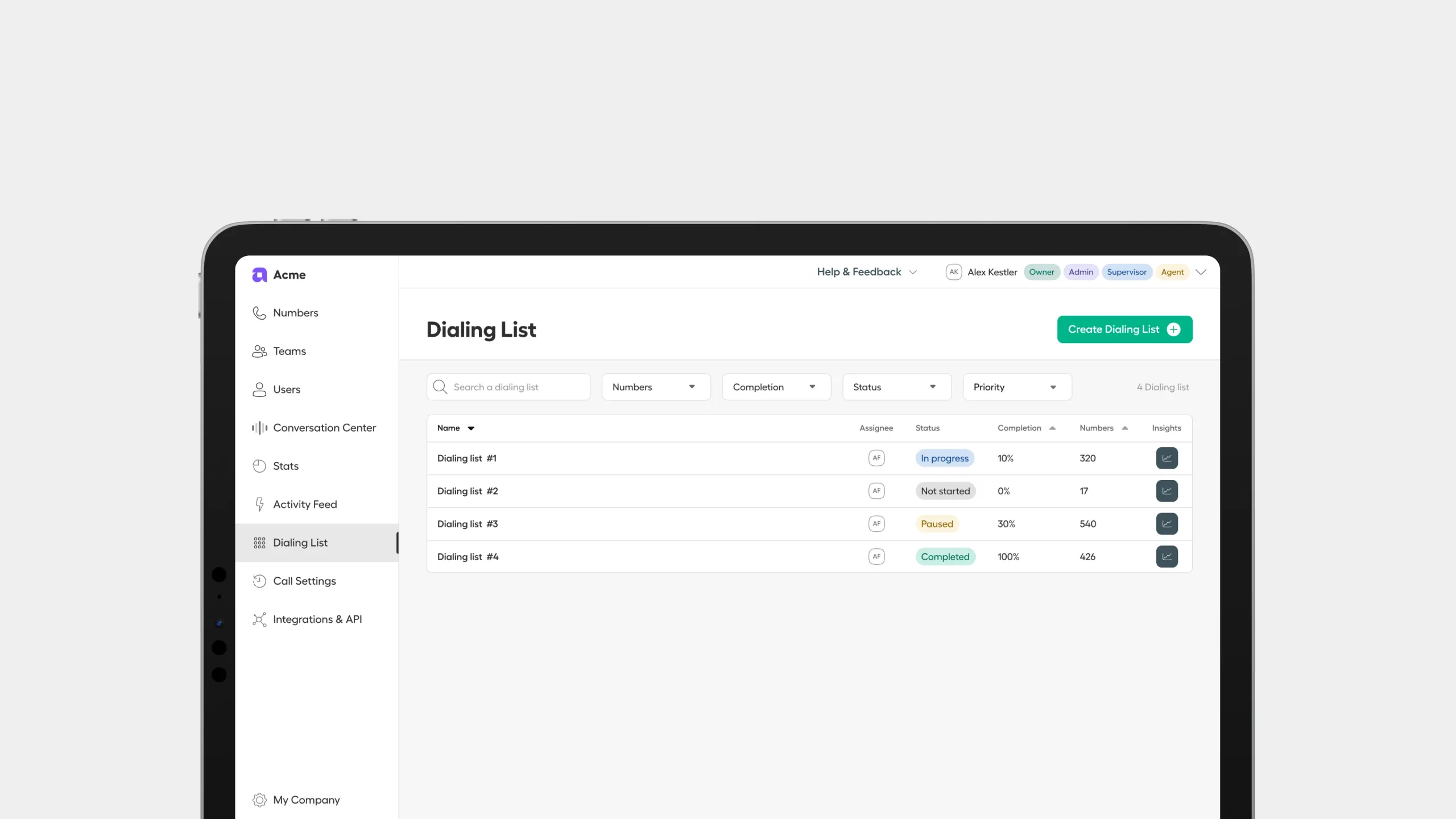 List of campaigns
 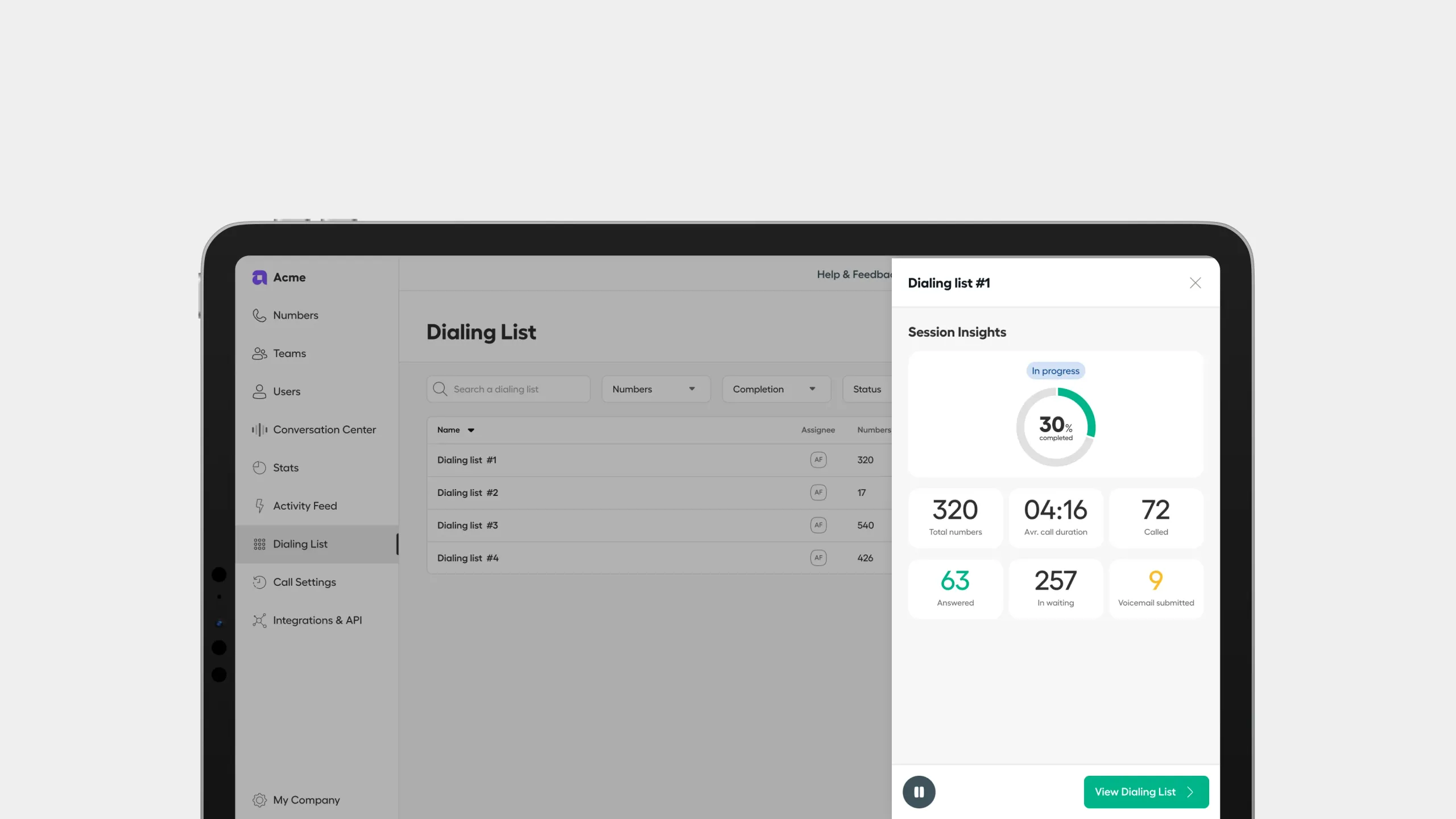 Quick view
 From Blind Spot to Full Visibility
Metrics
/Next case study
Industry ImpactAircall Messaging
Redesigning Messaging Foundation from scratch
SaaS / Telecommunication
−72% In response time